Valorant Pandora: 1 Month
About Valorant Pandora: 1 Month
🖥️ Requirements
-
Windows 10 / 11 — Supports Windows 10 and Windows 11
-
Intel / AMD — Compatible with Intel and AMD systems
-
NVIDIA / AMD Overlay — Requires a supported GPU overlay
-
Core Isolation — Memory Integrity must be enabled
-
Antivirus Disabled — PC antivirus must be disabled
📋 Overview
-
Windows 10 / 11 — Windows 10 and 11 support
-
Intel / AMD — Intel and AMD compatibility
-
NVIDIA / AMD Overlay — Supports NVIDIA and AMD overlays
-
External — Runs externally
-
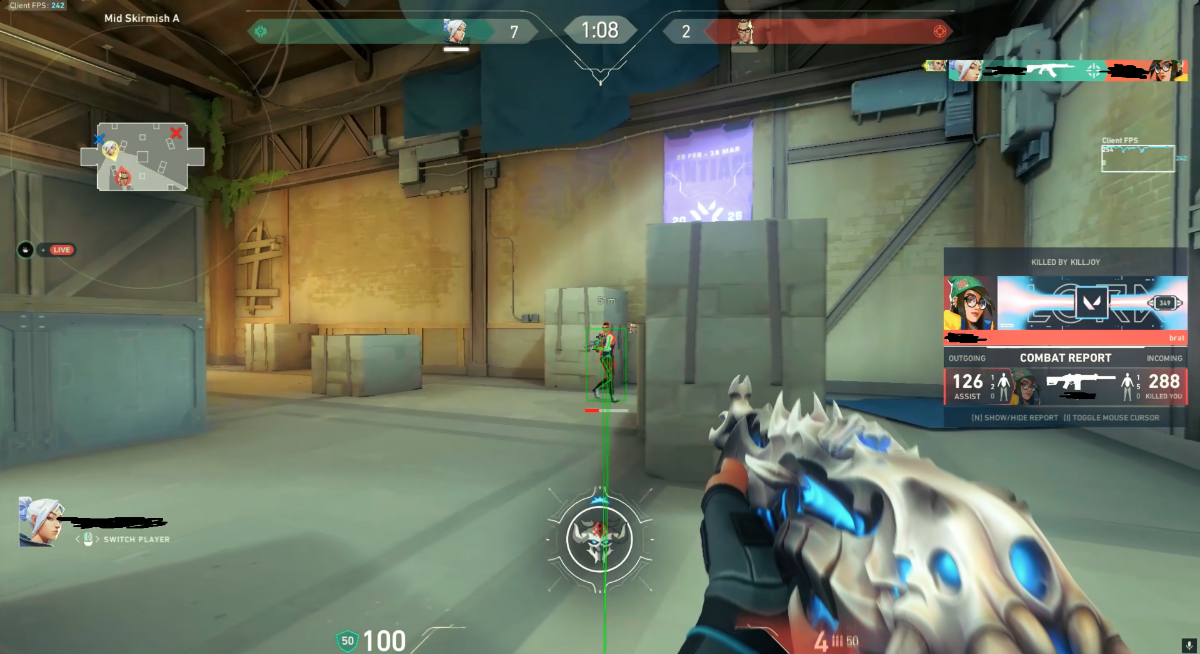
Streamproof — Designed to remain hidden from supported captures
-
Auto-Updating — Automatic updates with minimal downtime
🎯 Aimbot
-
Enable Aimbot — Toggle aimbot on or off
-
Keybind — Assign any preferred activation key
-
Smoothing — Adjustable smoothing from 0–20
-
Draw FOV — Display the aimbot FOV
-
FOV Value — Adjustable FOV from 0–500
-
Aimline — Display a line toward the current target
-
Target Bone — Multiple target bone options
👁️ Visuals / ESP
-
Team Check — Filter teammates from ESP
-
Visibility Check — Display visibility information
-
Name ESP — Display player names
-
China Hat — Display China hat indicator
-
Box ESP — Display player boxes
-
Skeleton — Player bone structure overlay
-
Health Bar — Display player health
-
Weapon ESP — Display equipped weapons
-
Distance — Display player distance
-
Weapon Wireframe — Weapon wireframe visuals
-
Agent Icons — Display agent icons
-
Weapon Icons — Display weapon icons
-
Box Thickness — Adjust ESP box thickness
-
Skeleton Thickness — Adjust skeleton line thickness
-
ESP Colors — Customizable colors for ESP options
-
Dropped Weapons — Display dropped weapons
-
ESP Preview — Preview ESP settings
🌎 World
-
Dropped Weapons — Display weapons on the ground
-
FOV Changer — Adjust camera field of view
⚡ Exploits
-
INI — Removes in-game shadows
⚙️ Settings
-
Save Config — Save your current configuration
-
Load Config — Load a previously saved configuration
-
Cheat FPS — Display cheat performance/FPS